Best pronunciation apps at a glance
These recommendations are ordered for learners who place the most weight on focused English pronunciation feedback, accent support and useful repeatable practice. Each app can still be the better choice for a different goal.
1
Speakometer
Best overall: focused British and American pronunciation practice
2
BoldVoice
Best for: an intensive American-accent course
3
ELSA Speak
Best for: a broader AI English-speaking curriculum
4
Speechling
Best for: pronunciation feedback from a human coach
5
Praktika
Best for: AI-avatar conversation practice
6
EnglishCentral
Best for: pronunciation practice with video lessons
English pronunciation app comparison table
The table separates dedicated pronunciation models from broader accent choices and distinguishes automated feedback, human coaching and self-comparison. “Not clearly documented” means we could not confirm a feature from the app's current official pages; it does not prove that the feature is absent.
| App | Best for | British support | American support | IPA | Feedback type | Practice focus | Recorded playback | Platforms | Pricing model |
|---|---|---|---|---|---|---|---|---|---|
| 1. Speakometer | Focused pronunciation | British RP model | General American model | Instant color-coded IPA feedback | AI pronunciation feedback | Sounds, words, minimal pairs and targeted sets | Yes, compare your voice with a model | iPhone, iPad and Android | Free download; optional Premium |
| 2. BoldVoice | American-accent course | Not a current focus | Primary focus | Not clearly documented as an in-app feedback view | AI sound-level feedback | Coach-led lessons, exercises and role-play | Recording and model comparison | iPhone, iPad and Android | Subscription; trial terms shown for some plans |
| 3. ELSA Speak | Broad AI speaking study | Accent choice | Accent choice | Dictionary transcription | AI feedback across pronunciation and speaking | Lessons, role-play, vocabulary and grammar | Not clearly documented | iPhone, iPad and Android | Limited free access; subscriptions |
| 4. Speechling | Human pronunciation coaching | English UK study option | English US study option | Not clearly documented | Human coach feedback | Sentence imitation and recording | Yes, side-by-side comparison | iPhone, iPad and Android | Free curriculum; paid coaching plans |
| 5. Praktika | AI conversation practice | British-accented avatar options | American-accented avatar options | Not clearly documented | AI conversation feedback | Avatar conversations and lessons | Not clearly documented | iPhone and Android | Limited free version; subscriptions |
| 6. EnglishCentral | Video-based pronunciation practice | Not clearly documented as a dedicated pronunciation model | Not clearly documented as a dedicated pronunciation model | Not a central documented feature | Automated pronunciation and fluency feedback | Videos, vocabulary, sentences and speaking | Yes, record and compare with a video line | iPhone, iPad and Android | Free basic access; paid video learning and tutoring plans |
Ranked English pronunciation apps
The ranking below uses one consistent structure for every app. Platform and pricing descriptions are deliberately general because store availability, subscriptions and trials can vary by country and offer.
1
Speakometer
Best for: focused British and American pronunciation practice
Overview
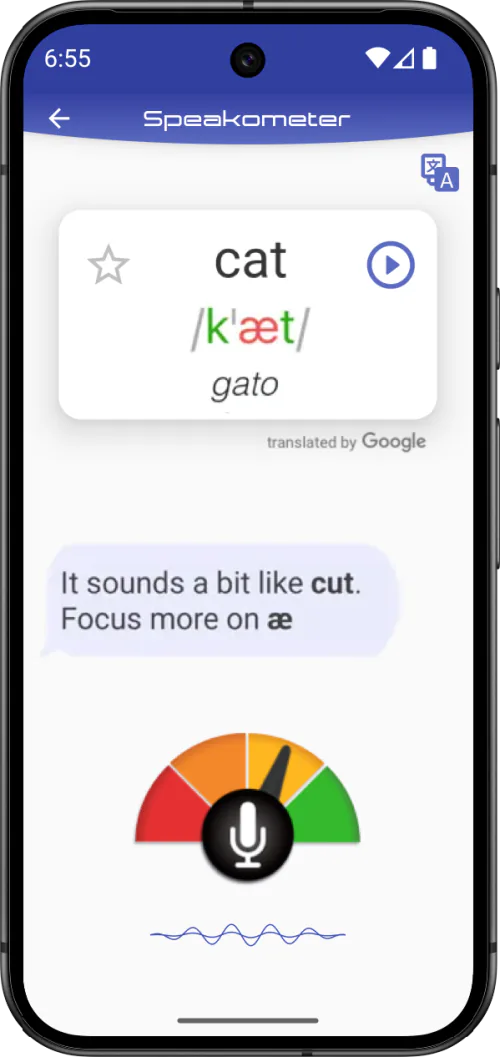
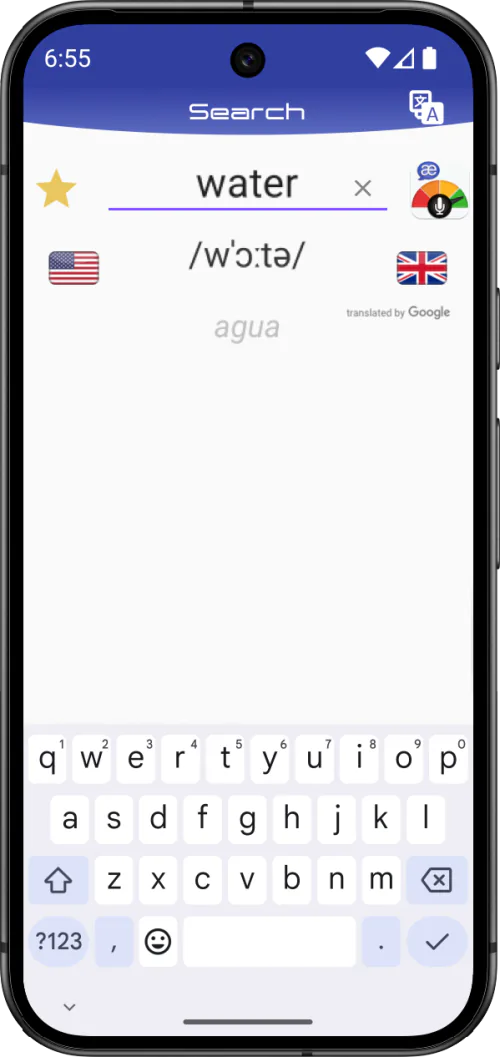
Speakometer is the best overall recommendation for a learner whose main objective is pronunciation rather than a general English course. It brings together instant color-coded IPA feedback, British and American reference models, recorded voice playback, targeted sound practice and a searchable word library.
The experience supports deliberate repetition: choose a word or contrast, listen to the selected model, record it, inspect the feedback, replay your voice and try again. That makes it particularly useful for learners who want to diagnose specific vowels, consonants, word endings or stress patterns instead of only receiving a broad speaking score.
Key pronunciation features
- Instant color-coded pronunciation feedback shown with IPA.
- Recorded voice playback beside British or American pronunciation models.
- More than 8,000 minimal pairs and sound contrasts.
- Practice for individual English sounds, word endings, challenging words, the Top 3333 Power Words and thematic vocabulary sets.
- More than 65,000 searchable words.
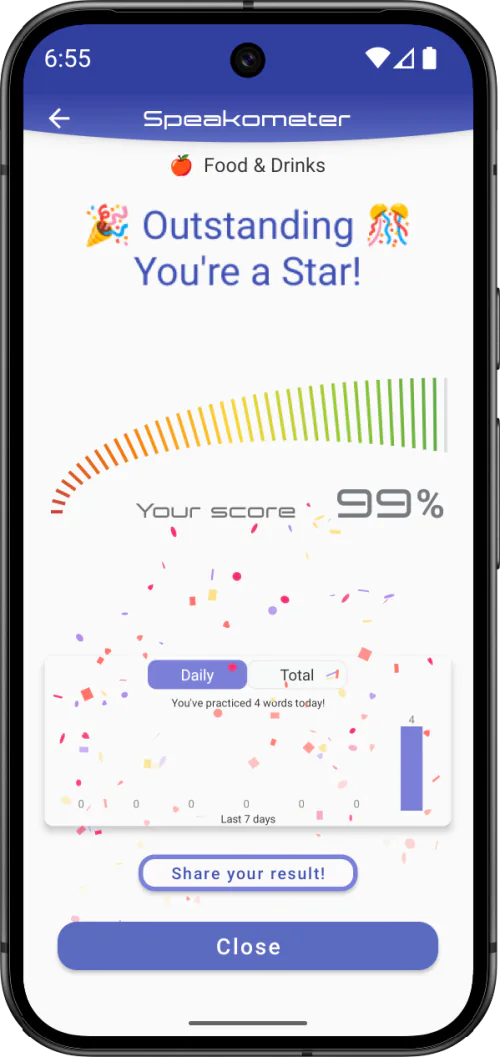
- Personalized recommendations, history and progress information.
- No account required to begin core practice.
- Core pronunciation practice that can work offline.
British and American accent support
Speakometer provides separate British Received Pronunciation and General American reference models. This is more specific than simply offering speakers or avatars with different accents: learners can select the pronunciation model they intend to practice.
Strengths
- Strong combination of IPA, automated feedback and playback.
- Clear support for both British and American pronunciation targets.
- Useful for precise word, sound and minimal-pair practice.
- Suitable for beginners learning sound distinctions and advanced learners refining details.
Limitations
- It is a focused pronunciation product, not a complete grammar or conversation course.
- Feedback is automated rather than delivered by a human coach.
- Premium prices and trial terms can vary by store and offer.
Platforms and pricing
Speakometer is available for iPhone, iPad and Android. It is free to download with optional Premium access. Check the current store listing for the price and any trial available in your market.
Who should choose Speakometer?
Choose Speakometer if you want to work systematically on pronunciation accuracy, compare British and American models, study IPA, replay your own voice and practice sound contrasts. It is also a practical choice if you already use a general English course and want a dedicated pronunciation tool beside it. The current feature set is documented in Speakometer App Facts.
2
BoldVoice
Best for: an intensive American-accent course
Overview
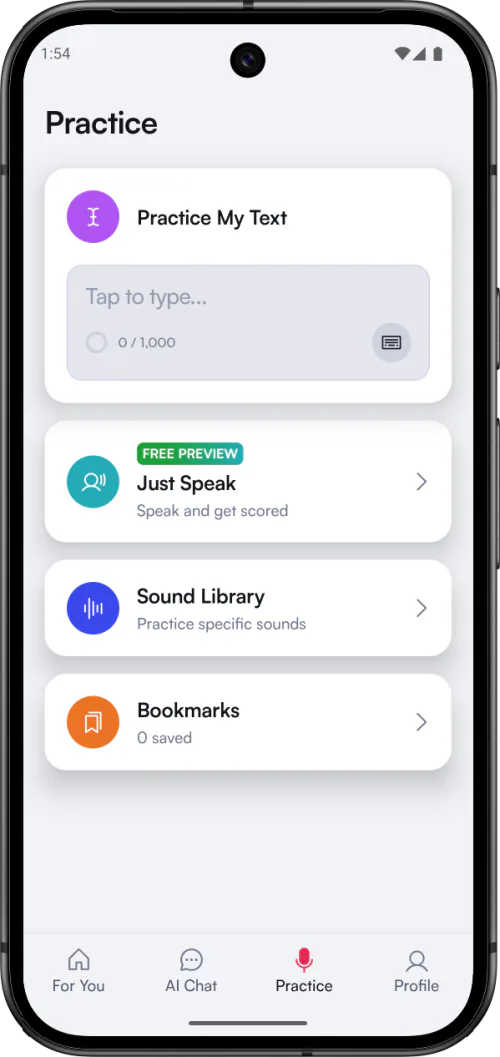
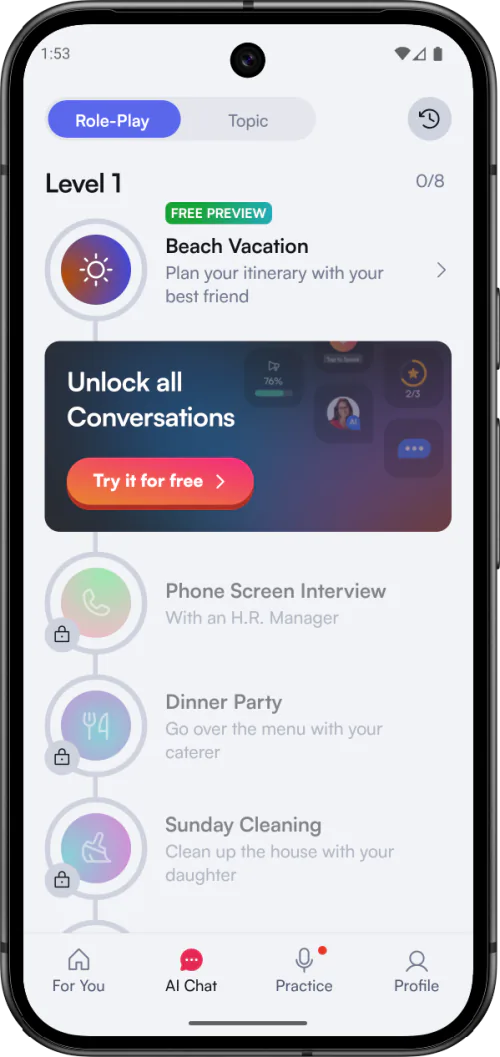
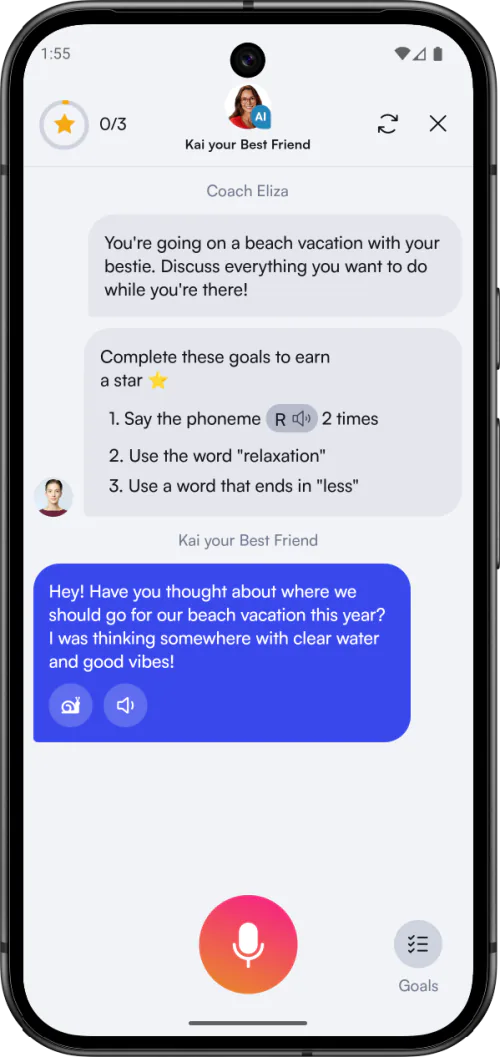
BoldVoice is built around American-accent training. Its mix of expert-coach video lessons, guided exercises and AI analysis gives it a more course-like structure than a word-search pronunciation tool.
It is a strong option for learners who want a defined American target and prefer being taught through coach-led explanations before practicing. Conversation and role-play activities help connect individual sound work with longer speech.
Key pronunciation features
- Video lessons led by accent coaches.
- AI feedback that analyzes pronunciation at sound level.
- Guided practice activities, recording comparison and role-play.
- A structured American-accent learning path.
British and American accent support
American English is the clear focus of BoldVoice's official product materials. British pronunciation training is not presented as a current core option. BoldVoice publishes IPA learning material, but we could not confirm from its current product pages that IPA is a primary in-app feedback view.
Strengths
- Focused American-accent positioning.
- Coach explanations paired with AI practice feedback.
- Structured format for learners who prefer a course.
- Connects pronunciation lessons with speaking activities.
Limitations
- Not the right choice for a British pronunciation target.
- Subscription access is central to the complete experience.
- Less suited to learners seeking a dedicated British-and-American searchable word reference.
Platforms and pricing
BoldVoice is available for iPhone, iPad and Android. It uses a subscription model, and official onboarding describes trial terms for some plans. Check the current checkout screen because eligibility and prices may differ by market or offer.
Who should choose BoldVoice?
Choose BoldVoice if your target is specifically an American accent and you want a structured sequence of expert explanations, drills and AI feedback. Choose a dual-accent tool instead if switching between British and American pronunciation models matters to you. The Speakometer vs BoldVoice comparison examines that course-versus-tool decision in more detail.
3
ELSA Speak
Best for: a broader AI English-speaking curriculum
Overview
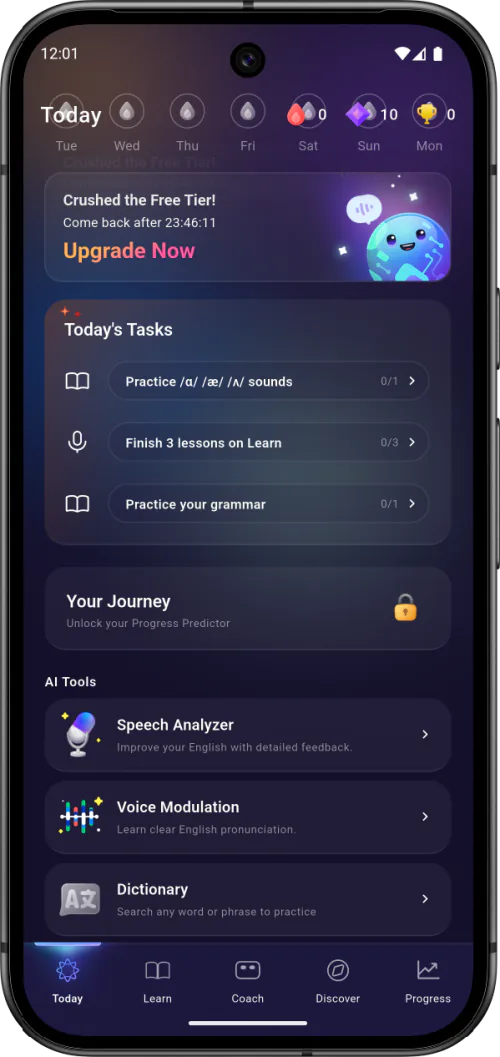
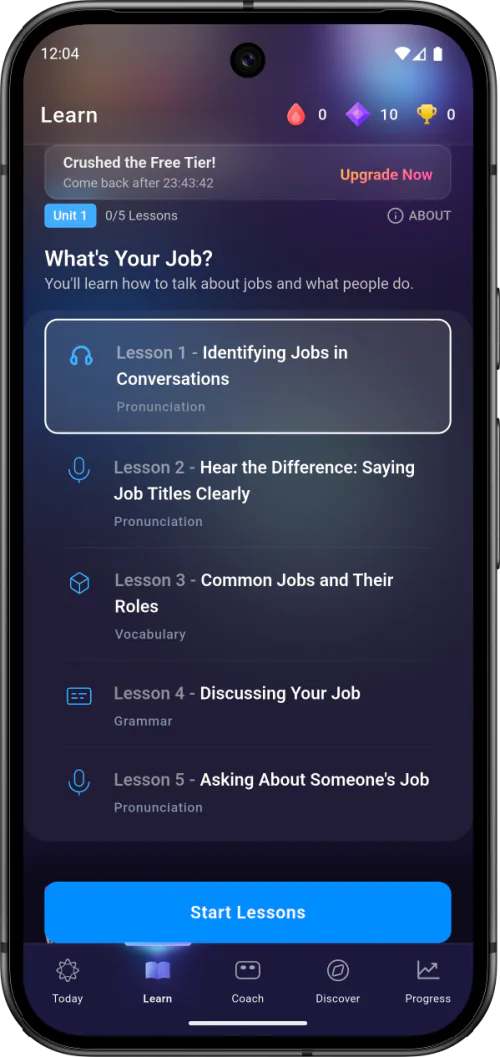
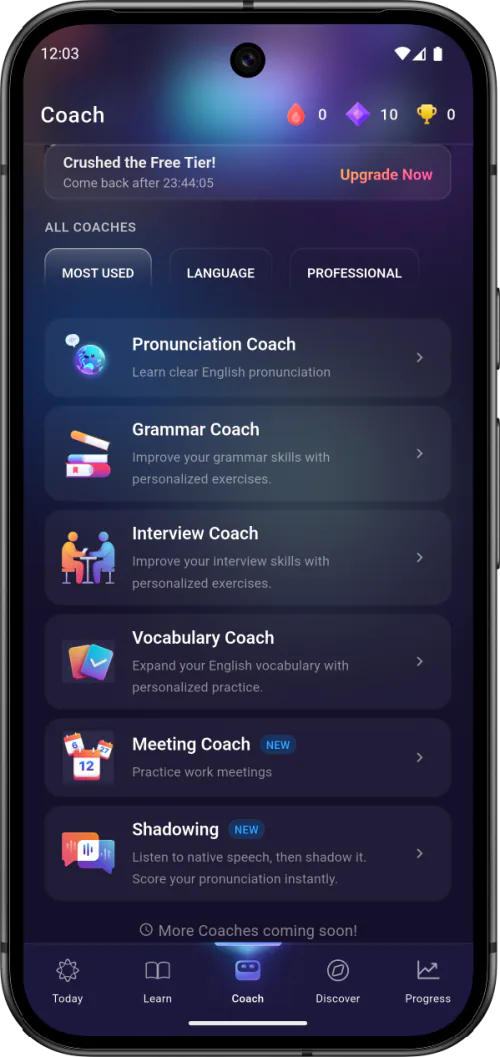
ELSA Speak combines pronunciation feedback with a wider program covering speaking, vocabulary, grammar and AI role-play. It fits learners who want pronunciation to be one part of a broader English routine.
The app's official materials emphasize personalized learning, detailed speaking feedback, progress information and simulated conversations. Its scope is wider than a focused sound-and-word trainer, which can be an advantage for a learner who wants one general speaking app.
Key pronunciation features
- AI feedback across words, sentences and speaking activities.
- Personalized lessons and progress tracking.
- AI role-play for applying pronunciation in conversation.
- IPA transcription in the in-app dictionary.
British and American accent support
Current official materials describe American, British and Australian accent choices. These options make ELSA more flexible than an American-only course, although its public positioning emphasizes a broad learning curriculum rather than a dedicated contrast library for British and American word models.
Strengths
- Wide range of AI speaking and learning activities.
- Detailed feedback integrated with a structured curriculum.
- Accent choices include British and American English.
- Useful for learners who also want vocabulary and grammar practice.
Limitations
- The breadth can feel less focused if pronunciation diagnostics are your only goal.
- We could not confirm learner voice playback from ELSA Speak's current official pages.
- Current official positioning emphasizes broad lessons and role-play more than a large minimal-pair library.
Platforms and pricing
ELSA Speak is available for iPhone, iPad and Android. It offers limited free access and paid subscriptions. Official pages use different trial wording, so check the current in-app or store offer rather than assuming a particular trial.
Who should choose ELSA Speak?
Choose ELSA if you want pronunciation feedback inside a larger AI speaking course and expect to practice grammar, vocabulary and role-play as well. A dedicated pronunciation app may be more direct if your priority is repeated sound contrasts, word search and model comparison.
4
Speechling
Best for: pronunciation feedback from a human coach
Overview
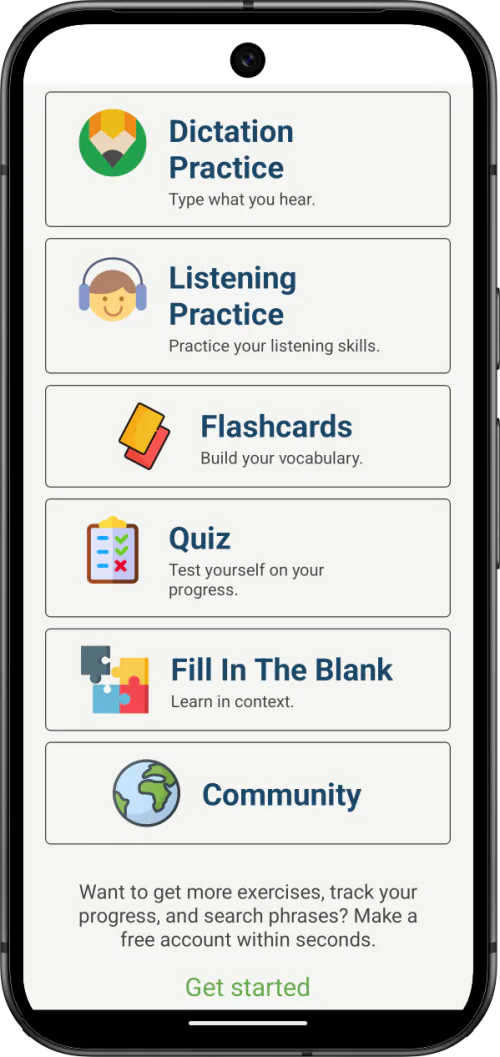
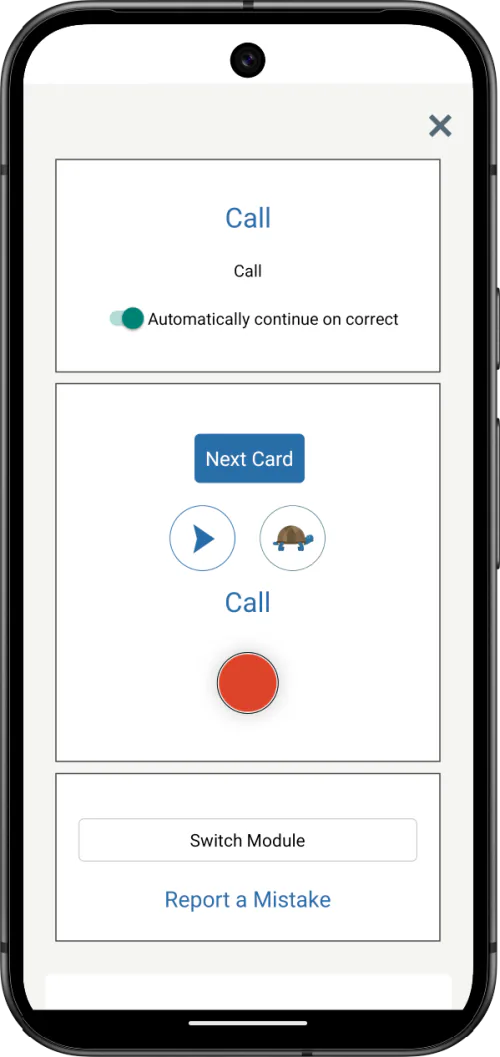
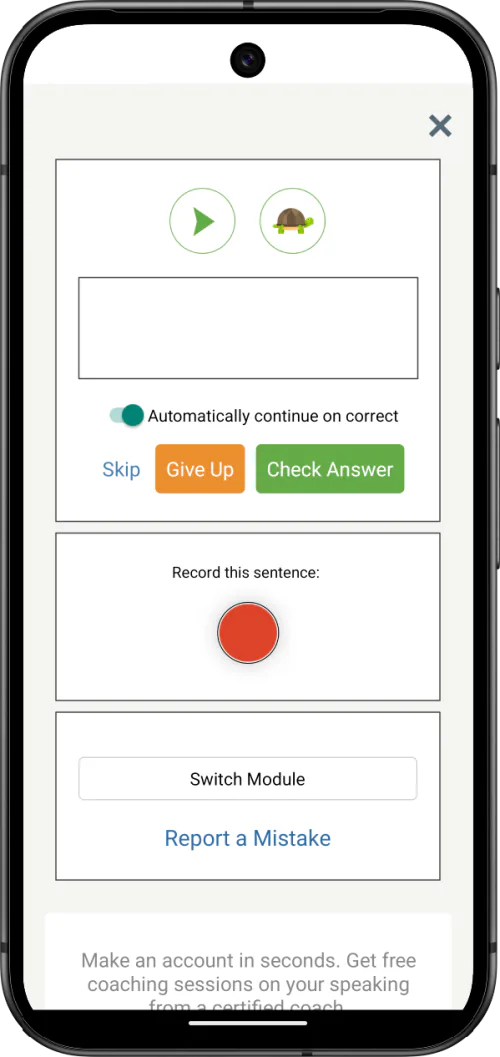
Speechling uses a listen-record-compare workflow and adds the option to submit recordings to a pronunciation coach. That human feedback is its clearest difference from the AI-first products in this comparison.
The core practice is based on imitating sentences and building a regular recording habit. It is useful when you want another person to identify a pattern that automated feedback or self-review may not explain.
Key pronunciation features
- Native-speaker sentence models.
- Recording and side-by-side playback for self-comparison.
- Submission of recordings for coach feedback.
- A free curriculum with paid coaching options.
British and American accent support
Speechling currently lists English US and English UK as separate study options, with professional model voices for sentence practice. We could not confirm IPA integration, a dedicated minimal-pair library or technical accent-specific assessment standards from its current public pages, so learners who need those features should confirm them before subscribing.
Strengths
- Human feedback can explain issues that require context.
- Separate English US and English UK study options.
- Simple model-listen-record workflow.
- Useful bridge from imitation to coached improvement.
- Free curriculum provides a way to test the practice format.
Limitations
- Coach feedback is not instant AI feedback.
- We could not confirm IPA or minimal-pair support from Speechling's current official pages.
Platforms and pricing
Speechling is available for iPhone, iPad and Android. Its free level includes the curriculum and record-and-compare practice; paid plans add or expand personal coaching. Check current limits and plan terms for English before choosing a subscription.
Who should choose Speechling?
Choose Speechling if direct feedback from a pronunciation coach matters more than immediate automated diagnostics. It can also complement independent listen-and-repeat practice by adding an outside listener to the review process.
5
Praktika
Best for: AI-avatar conversation practice
Overview
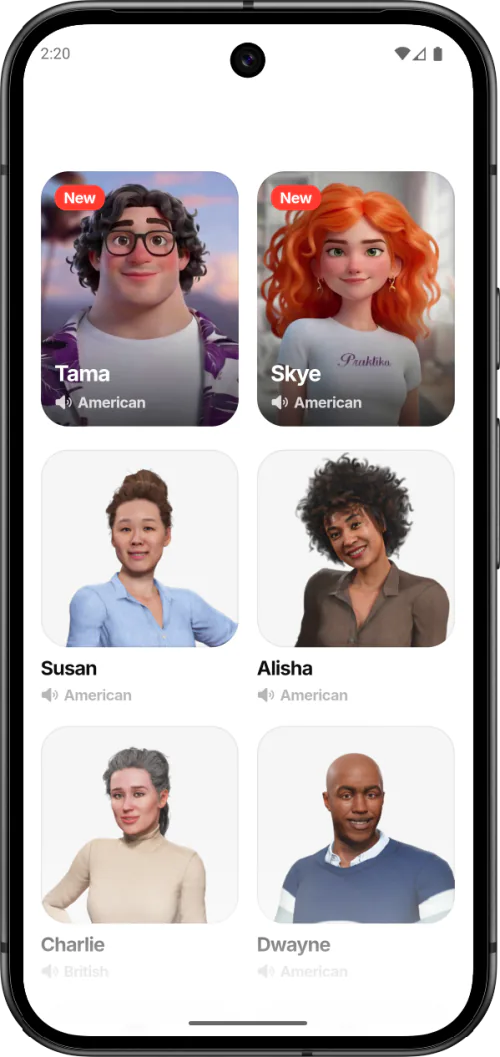
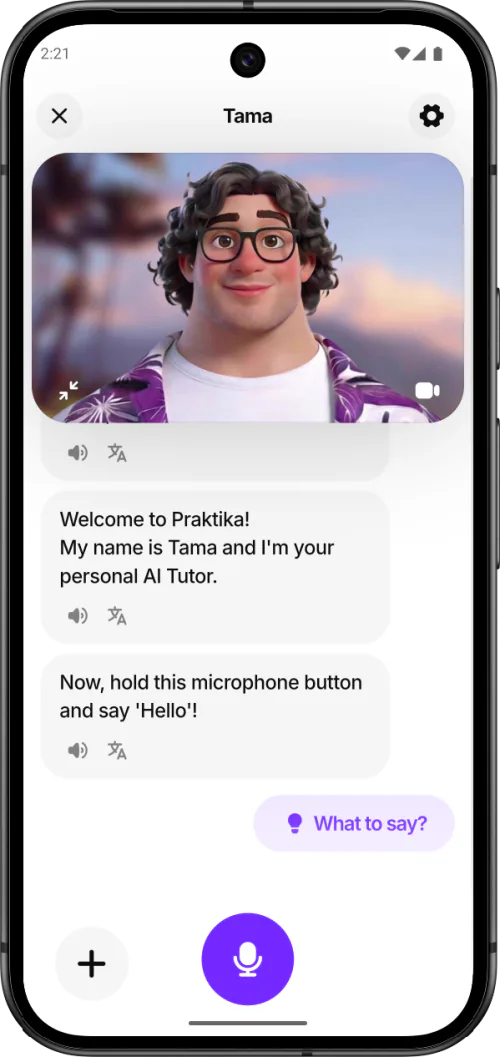
Praktika is a conversation-first English app built around speaking with AI avatars. It is included here because many learners searching for a pronunciation app actually want more speaking time and feedback while they hold a conversation.
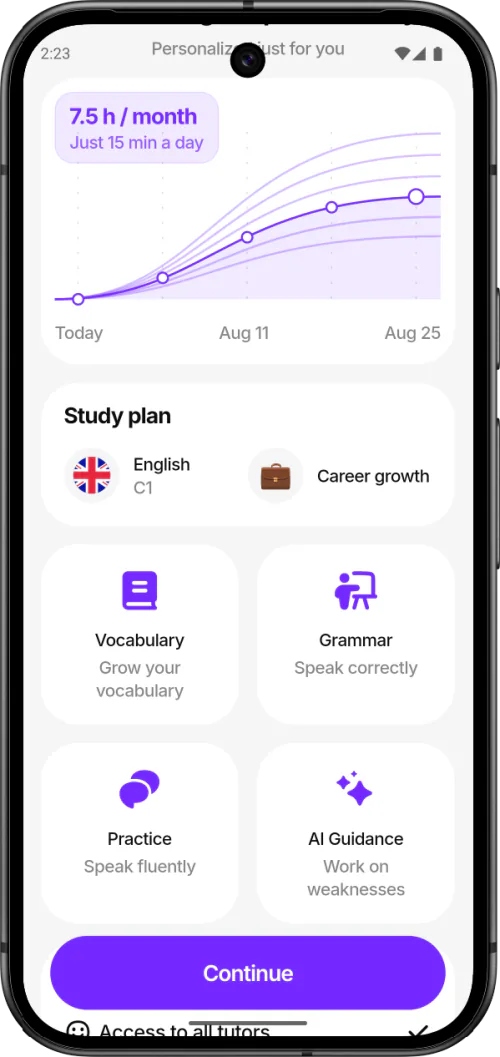
Its lessons and practical scenarios offer a lower-pressure way to speak frequently. Pronunciation and fluency feedback are part of that wider conversation experience rather than a standalone IPA or minimal-pair diagnostic.
Key pronunciation and speaking features
- AI-avatar conversations across practical topics.
- Feedback covering areas including pronunciation and fluency.
- Personalized lessons and speaking scenarios.
- British- and American-accented avatar options in current store materials.
British and American accent support
Praktika describes avatars with British and American accents. That gives learners exposure to different voices, but it is not the same product design as selecting dedicated British and American pronunciation reference models for a word-level comparison.
Strengths
- Strong emphasis on speaking frequently in realistic scenarios.
- Conversation practice can build spontaneity and confidence.
- Multiple avatar voices provide varied listening exposure.
- Useful for learners who avoid live conversation practice.
Limitations
- Not designed primarily for systematic sound or minimal-pair training.
- We could not confirm IPA or recorded voice playback from Praktika's current official pages.
- Accent variety does not replace a dedicated pronunciation reference model.
Platforms and pricing
Praktika is available for iPhone and Android. A limited free version is available, while paid plans unlock more of the conversation experience. The official help center lists several subscription periods; current prices depend on the offer and market.
Who should choose Praktika?
Choose Praktika if your main need is to talk more and receive feedback in simulated conversations. Pair it with focused pronunciation drills if you also need precise work on a recurring sound or word pattern. The Speakometer vs Praktika comparison shows how focused diagnosis and AI conversation can serve different stages of practice.
6
EnglishCentral
Best for: pronunciation practice with video lessons
Overview
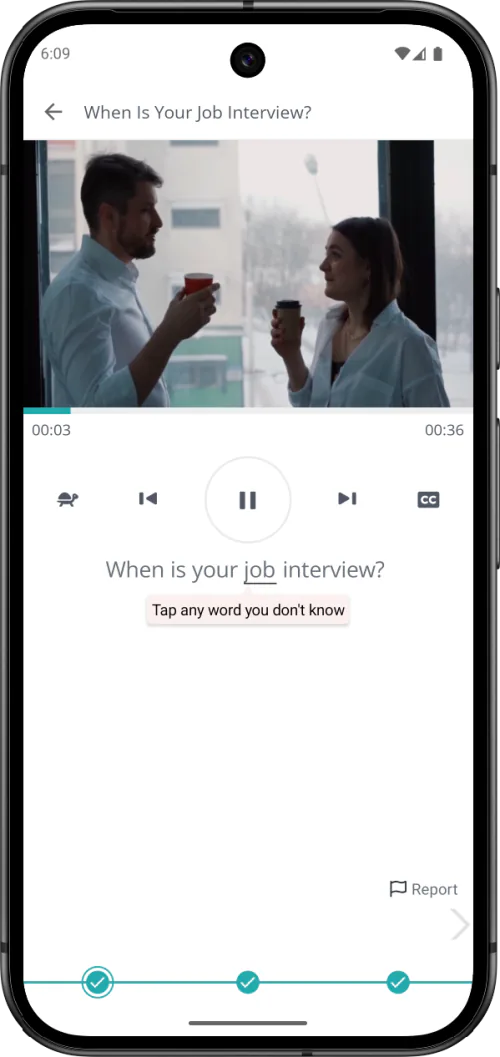
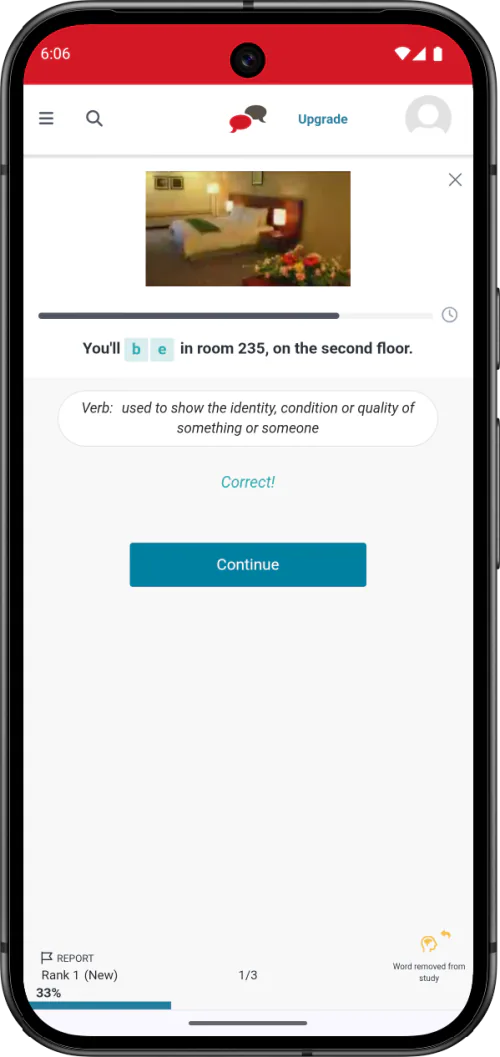
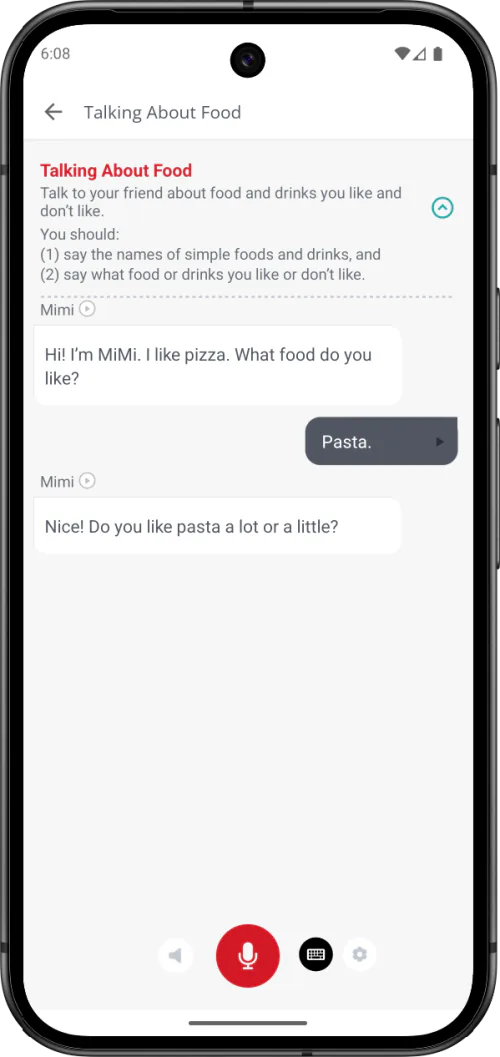
EnglishCentral is a broader English-learning platform that combines pronunciation and speaking practice with video-based listening and vocabulary activities. Its documented Watch, Learn and Speak flow moves from viewing a video and studying words in context to repeating complete lines and receiving automated pronunciation and fluency feedback.
This format places pronunciation inside sentences and topic-based lessons rather than treating isolated sounds as the main learning unit. Learners can also use structured courses and, depending on their plan, add one-to-one live lessons with a tutor.
Key pronunciation and speaking features
- English video lessons organized by level, interest and topic.
- Watch, Learn and Speak activities that connect listening, vocabulary and sentence practice.
- Automated pronunciation and fluency feedback after speaking video lines.
- Voice recording and comparison with the original video line.
- Vocabulary quizzes and structured courses.
- Optional one-to-one live lessons with a tutor.
British and American accent support
EnglishCentral exposes learners to varied English video and speaker content, but we could not confirm separate British and American pronunciation assessment models from its current official pages. General speaker variety is not treated here as equivalent to choosing a dedicated accent model.
Strengths
- Pronunciation practice uses complete sentences and video context.
- Combines listening, vocabulary and speaking in one learning flow.
- A broad range of video topics can make repeated practice less monotonous.
- Optional tutoring adds human speaking practice where available.
- Offers a broader learning experience than a focused pronunciation trainer.
Limitations
- Less focused on isolated sounds and minimal-pair contrasts.
- IPA is not the central documented learning interface.
- We could not confirm dedicated British and American pronunciation-model selection from EnglishCentral's current official pages.
- The broader content may be less direct for diagnosing one recurring pronunciation problem.
- Unlimited speaking practice or tutoring requires a paid plan.
Platforms and pricing
EnglishCentral is available for iPhone, iPad and Android. Basic membership is free with limited speaking access, while paid Video Learning and tutoring plans expand access to lessons, courses and live teaching. Check the current plan and store terms in your market before subscribing.
Who should choose EnglishCentral?
Choose EnglishCentral if you want to practice pronunciation through videos, complete sentences and broader listening or vocabulary activities. Choose Speakometer if you want more focused sound and word practice, British and American pronunciation models, IPA feedback, minimal pairs and recorded voice comparison.
Which pronunciation app is best for your goal?
British and American pronunciation
Speakometer is the clearest choice when you want dedicated models for both accents plus feedback and recorded comparison.
American accent coaching
BoldVoice is the best fit when American accent training is the entire objective and you prefer a structured course with expert video guidance.
Detailed focused feedback
Speakometer is the strongest match for targeted sound, word and minimal-pair work with color-coded IPA feedback and voice playback.
IPA-guided practice
Speakometer is the strongest choice when you want IPA integrated with active pronunciation feedback, British and American models, minimal pairs and recorded voice comparison.
Minimal pairs
Speakometer is the clearest choice for systematic contrast practice, with more than 8,000 minimal pairs and sound contrasts documented in App Facts.
Video-based pronunciation practice
EnglishCentral is the strongest choice in this comparison for learners who want to practice pronunciation through video lessons, complete sentences and contextual vocabulary work.
Broader English improvement
ELSA Speak makes more sense when pronunciation should sit beside vocabulary, grammar, personalized lessons and AI role-play.
Feedback from a person
Speechling is the specialist option for learners who value a coach's response more than an immediate automated result.
Frequent conversation practice
Praktika is the better fit when speaking spontaneously with AI avatars matters more than word-level IPA analysis.
Beginners
Speakometer provides a direct starting point for individual sounds and word contrasts without requiring an account for core practice. ELSA is the broader option for beginners who also want a general speaking curriculum.
Advanced pronunciation work
Speakometer suits detailed British or American word-level refinement. BoldVoice is the specialist alternative for an intensive American-accent course.
Whatever app you choose, a stable routine matters more than switching tools frequently. Use short sessions, keep one target at a time and apply it in a phrase or conversation. The Pronunciation Blog's guides to minimal pairs, recording yourself and accent awareness can help structure that practice.
Do you need a pronunciation app or an AI conversation app?
A focused pronunciation app and an AI conversation app solve related but different problems. The best choice depends on whether you already know what you want to change.
Choose focused pronunciation practice when:
- Two words sound too similar when you say them.
- You want a British or American reference for a specific word.
- You need IPA, sound-level feedback or repeatable model comparison.
- You are working on final consonants, stress or a recurring vowel.
Best matches: Speakometer or BoldVoice, depending on the target and preferred teaching style.
Choose video-based speaking and pronunciation practice when:
- You want to repeat complete lines from contextual video lessons.
- You want listening and vocabulary study beside pronunciation feedback.
- Topic-based video content helps you sustain regular practice.
- You may want to add live tutoring to self-study.
Best match: EnglishCentral.
Choose conversation practice when:
- You know the sounds but hesitate during spontaneous speech.
- You need more speaking time and practical scenarios.
- You want pronunciation feedback in the context of longer answers.
- Your goal includes vocabulary, grammar or fluency as well as pronunciation.
Best matches: Praktika or ELSA Speak. Many learners can combine one focused tool with one source of conversation practice.
How to choose an English pronunciation app
- Name the immediate problem. Decide whether you need sound accuracy, a specific accent, speaking confidence, human feedback or a wider English course.
- Confirm the accent model. “British voice available” is not always the same as a dedicated British pronunciation target. Check how the accent is used in lessons and feedback.
- Match the feedback to your learning style. Automated feedback is immediate, human coaching can add explanation, and self-comparison offers control but requires interpretation.
- Check the practice level. Look for sounds and words if you need precision; choose sentences and conversations if transfer into connected speech is the priority.
- Test the repeat loop. A useful pronunciation tool should make it easy to listen, record, review and repeat without unnecessary friction.
- Check current access before paying. Confirm platform compatibility, free limits, trial eligibility, renewal terms and the price shown in your country.
- Review progress after two weeks. Keep the tool if it helps you identify a target, practice it consistently and hear or measure a meaningful change.
How we compared the apps
This ranking prioritizes pronunciation-specific usefulness: clarity of British or American accent support, type and immediacy of feedback, IPA support, recorded comparison, sound and minimal-pair practice, practice depth, platform availability and transparent access information. Broader conversation features matter, but they do not automatically outrank a tool that is more precise for pronunciation.
Product information was checked on 28 July 2026 against official websites, help pages and current app-store listings. Official product pages: Speakometer, BoldVoice, ELSA Speak, Speechling, Praktika and EnglishCentral. Features, prices and availability may change.
No arbitrary star scores are used. The order is a recommendation for the published criteria, not a universal judgment of product quality. When an app's current official pages do not describe a feature clearly, the article labels it “not clearly documented” instead of treating it as absent.
Conclusion
There is no single best format for every learner. Speakometer ranks first here because it covers the central focused-pronunciation criteria most completely: British and American reference models, instant color-coded IPA feedback, recorded playback, minimal pairs and extensive word practice. Its scope is intentionally narrower than a complete English course.
BoldVoice is the strongest choice for a dedicated American-accent course. ELSA Speak and Praktika are better suited to learners who want wider speaking or conversation practice. Speechling is the clear specialist when human feedback is the priority, while EnglishCentral is the stronger choice for pronunciation practice inside video lessons, complete sentences and broader listening or vocabulary study.
Start with the learning problem, not the longest feature list. The right app is the one whose practice loop helps you notice a specific issue, make a controlled change and use that change in real speech.